|
Centerline |
Scroll |
To create a centerline, use the Centerline  command.

Step-by-step instructions
1.Select objects in the graphic area to plot the centerline.
The names of the specified objects will be displayed in the fields Object 1 and Object 2 in the Main section of the Parameters toolbar. A phantom of the centerline appears in the graphic area.
You can create a point to plot a centerline during execution of the command. To do this, click Construct point  button to the right of the Object 1 field (Object 2). Will start Subprocess of point plotting. After creating the point, the system will return to the centerline building process.
2.If necessary, specify the name of the centerline in the Name field in the Properties section.
3.You can select a color for the centerline by selecting the required line in the Color list. More about Control of Object Colors...
4.To complete creation of a centerline, press the Create object  .
.
After execution of the described actions, a centerline will appear in the graphic area, and its icon .
To complete operation of the command, click Finish  .
.
|
|
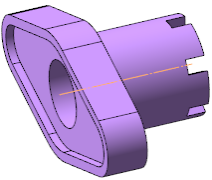
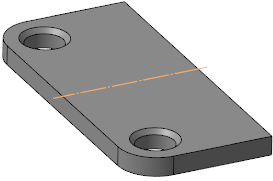
Examples of setting designations of the centerline
See Also
