|
Advanced options |
Scroll |
In the context menu of the property cells Name and Designation (see figure), the following additional options are available:
•Show in Tree – (only for parts) allows you to find the part in the Model Tree. The object for which the command was run is highlighted in the Tree. If necessary, it expands the desired section of the Tree and scrolls automatically to make the highlighted row visible.
•Properties - allows you to proceed to editing the properties of the product or its component part. To learn about working with properties, see sections Component Properties and Properties of a model, model version, solid.
•Edit in Window – (only for composite parts, represented by components) allows opening the component file in a separate tab in the KOMPAS-3D window. You can make any changes to the component model. Learn more about editing the component in a separate tab...
•Select material from the reference — allows selecting the designation of an item or its constituent part from the external reference (ESKD Classifier). The reference should be connected to KOMPAS-3D.
|
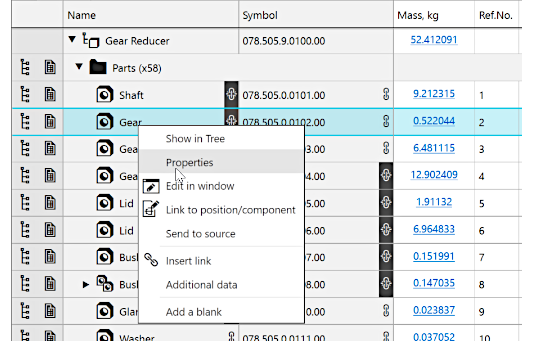
Context menu for cell Designation on the Product composition panel
|
For fill group lines, Also for constituent part without visual representation Of the enumerated commands, only Select material from the reference is available in the context menu of the cell Designation. |

