|
Overview |
Scroll |
To delete solids and/or surfaces, apart from the 'usual' techniques of deleting model objects, you can Delete a body/surface  . This method is useful for deleting bodies/surfaces that were used in the model for intermediate buildings but are no longer needed. While working with imported components, the command allows you to delete bodies/surfaces from the model without saving the source file in KOMPAS-3D format.
After executing the command, objects related to the deleted body/surface remain available for editing. Below there is an example of deleting bodies from assembly component, imported from a file in STEP format. The geometry of the deleted solids was used to build the outward shell and is no longer required.
|
|
|
a) |
b) |
c) |
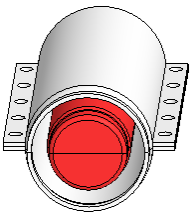
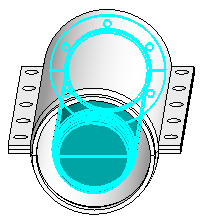
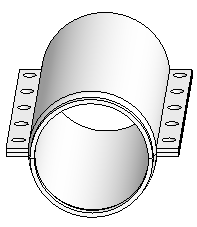
Deletion bodies from the model
a) initial part, b) bodies to delete (highlighted), c) operation result.
