|
Parameter Panel on changing the object parameters |
Scroll |
During selection of an object in the model or the graphic document, the Parameter Panel displays parameters of the object and which are available for change (see the Figure). If several objects are selected, then it is possible to work with parameters common for them or with the parameters of objects of a certain type (to that end, pre-select the type of objects in the list).
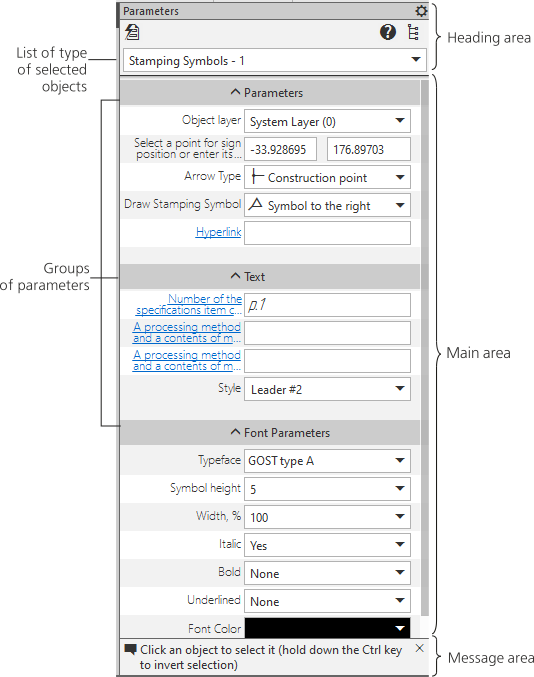
Parameter Panel on changing the object parameters
In the header area of the Parameters Toolbar, there is a list of types of the selected objects, as well as additional Design Tree, and help system button.
The main area of the Parameter Panel is occupied by a table of object parameters.
The table consists of two columns. The first column contains the names of object parameters, and the second one – the values of parameters. Parameters in the table are broken into groups. A group can be rolled up or expanded. To that end, mouse-click the group name.
The parameters representing length values (segment length, radius of a circle, etc.) and coordinates of points are displayed with the current length units.
To learn about editing parameters, see section Working with parameters of objects.
|
In graphic documents, the Parameter Panel is also used while copying the properties among objects – for viewing and selection of properties being copied (see section Changing parameters of objects). |

