|
Stamping and Marking Designations |
Scroll |
For setting the designation of stamping or marking, the following commands are used: Stamping Sign  and Marking
  .
.

Step-by-step instructions
1.Set a point to which the first branch of the leader line points (the point of applying the first brand or marking).
After indication of this point, a designation phantom will appear in the graphic area.
2.Indicate the point determining the position of signage.
|
To set the position of designation points, you can use Snaps and geometrical calculator. |

3.Create the required number of branches of the leader line. Details...
4.Set up the Parameters of the sign.
5.Generate a caption designation.
6.To complete creation of the designation, press the Create Object  .
.
7.To complete operation of the command, click Finish  .
.
|
|
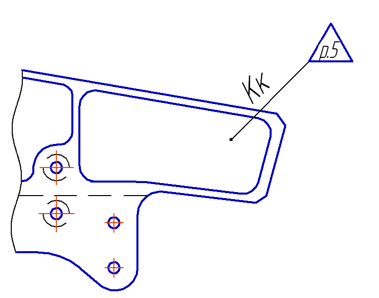
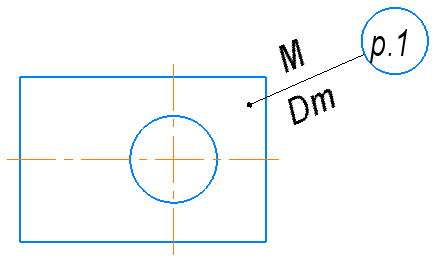
Examples of labeling designations of stamping and marking
|
When editing the projective designation Part of controls on the Parameter Panel are unavailable. The respective parameters of designation are transferred to the drawing from the model, so their manual editing is impossible. |
