|
Dialog Density of Materials |
Scroll |
The dialog allows you to select the material and its density in the calculation of CMP for solids of rotation and extrusion bodies., as well as when defining the values of properties Material, Substitute material, Coating.. Names of materials and the matching values of density are stored in the density reference file (the file can be edited by a user), who is using the system KOMPAS-3D by default.


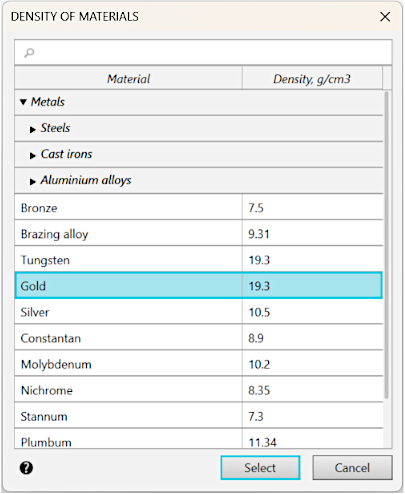
Data on materials in the dialog are grouped by thematic sections — Metals, Non-metals and Soldering Alloys. To expand (minimize) the section, click the  (
( ) icon to the left of the section title. In the Material column, the name of the material is displayed, while in the Density, g/cm3 — its density.
To select a material, use one of the following methods:
•Expand the corresponding section and indicate the required row in the list of materials.
•Enter the name of the material in the search field in the top part of the dialog. If you enter text in this field, a list of matching materials will be displayed below.
To complete selection of material, press the Select button (the button is available if the row with the name of the material is selected in the list). The Cancel button allows you to close the dialog, discarding the selection.
