|
Data Sorting in Report Dialog |
Scroll |
It allows to configure parameters of Data Sorting in Report.

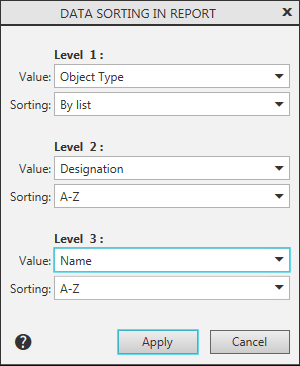
The dialog contains the following groups of elements: Level 1, Level 2, and Level 3, designed for sorting configuration. The fields that are included in the groups are described in the table.
Dialog controls
The element |
Description |
|
Value |
A list for selecting a property the values of which will be used for sorting. The list contains all style properties. Option nan means refusal of sorting at this level. |
|
Sorting |
A list for selecting an arrangement of sorted objects. •A-Z — in alphabetical order or in ascending numerical order, •Z-A — in inverse alphabetical order or in descending order of numbers, •By list – in the order of values in the list of property values. The option will be included in the list if the property has a list of values defined upon its creation in the dialog Property Parameters (see section). Property creation). |
Click Apply to complete the sorting configuration. To exit the dialog without saving the changes, click Cancel.
