|
Check parameters and geometry check results |
Scroll |
In this section:
The check is performed among the faces of the selected solids and surfaces. The check allows you to detect faces that intersect with other faces of the same solid or surface without forming common edges.
The absence of common edges is a sign of integrity violation, which is an unacceptable defect for a real product, therefore the intersection of edges is a critical defect for solids.
Intersections of edges of a solid or surface may prevent further work with the model: subsequent operations may not be performed..
Check type |
Check result |
|
Intersecting of faces |
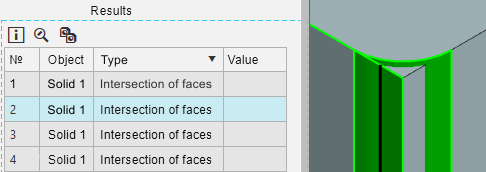
The following data is displayed in the graphic area: •the edges that form the intersection (highlighted), •intersection curve.
|
The check is performed among the edges of the selected solids and surfaces. The check allows you to detect open edges, as well as coincident open edges — edges that coincide in their geometric position (overlap).
Open edges are a critical defect for solids, meaning that the integrity of the solid is violated. The body may appear intact — if its faces are located so that their open edges overlap each other in the place where the common edge of these faces should be. A body which integrity is violated cannot be manufactured, its mass cannot be correctly determined.
For surfaces, the presence of open edges is not a defect. The check is useful for analyzing the surfaces themselves, for example, for detecting coincident open edges.
Check type |
Check result |
|
Open edges |
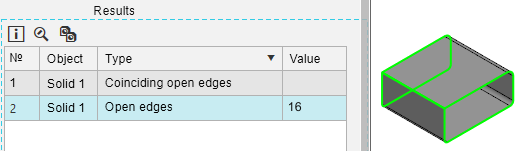
The results table displays the number of open edges of the solid or surface found. All open edges of the solid or surface are highlighted in the graphic area.
|
|
Coinciding open edges |
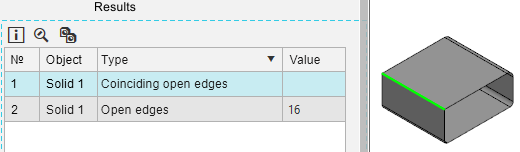
A pair of open edges which positions match is highlighted in the graphic area.
|
The check is performed among the vertices and edges of the selected solids and surfaces. The check allows you to detect geometrically inaccurate vertices and edges which position deviation is greater than the value specified in the Length.
Operations that involve geometrically imprecise vertices and edges may fail or result in building errors. More about geometric accuracy...
Check type |
Check result |
|
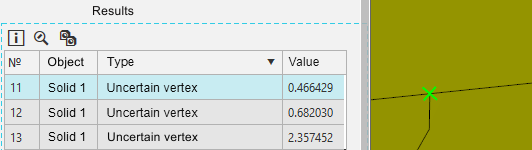
Uncertain vertex |
The results table displays the geometric accuracy value of the vertex. The inaccurate vertex is highlighted in the graphic area.
|
|
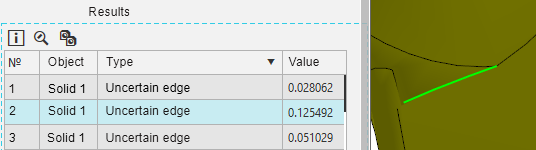
Uncertain edge |
The results table displays the value of the geometric accuracy of the edge. The inaccurate edge is highlighted in the graphic area.
|
The check is performed among the faces of solids and surfaces. The check allows to detect self-intersection of the face surface, as well as the intersection of edges belonging to one face.
The presence of self-intersection of the surface is a critical error.
Check type |
Check result |
|
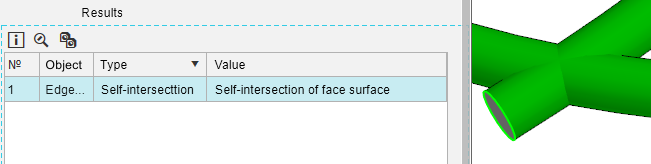
Self-intersection |
The results table displays the check subtype — self-intersection of face surface. The corresponding face is highlighted in the graphic area.
|
|
|
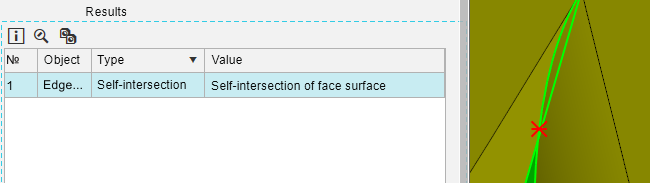
The results table displays the check subtype — self-intersection of boundary. The following data is displayed in the graphic area: •the boundary with self-intersection (highlighted), •the intersection point.
|
The check is performed among the faces of solids and surfaces. The check allows you to find faces where the angle at the vertex between the edges is less than the value specified in the field Angle.
For non-straight edges, the angle between the tangents to the edges at the vertex is checked.
If a face has several vertices where the angle between the edges is less than the specified value, then the value of the smallest angle is displayed in the results table.
The presence of juts and cuts in model objects is not an error, but performing the check can be useful for analyzing the quality of the model and its manufacturability.
Juts and cuts can:
•prevent subsequent operations in the model,
•impair the quality of the calculation model,
•impair the manufacturability of the part: complicate the processing program and increase the time for mechanical processing.
Check type |
Check result |
|
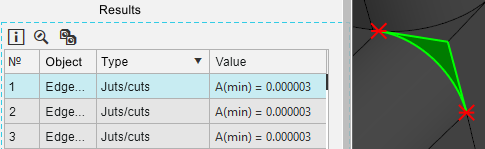
Juts/cuts |
The results table displays the value of the smallest angle found A(min). The following data is displayed in the graphic area: •face with juts and/or cuts (highlighted), •vertexes of juts and/or cuts of the highlighted face.
|
The check is performed among the selected objects of the model. The check allows you to find edges, faces and threads which dimensions are smaller than the value specified in the field Length.
The presence of small edges and faces is not an error, but performing the check can be useful for analyzing the quality of the model and its manufacturability.
Small edges and faces can:
•hinder subsequent operations in the model,
•impair the quality of the calculation model,
•impair the manufacturability of the part: complicate the processing program and increase the time for mechanical processing.
For an edge, the edge length (L) is checked.
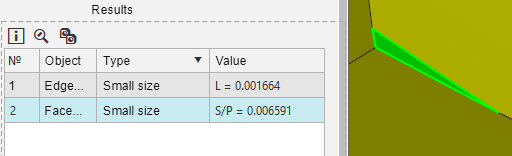
For a face, the area (S) and the ratio of the face area to its perimeter (S/P) are calculated. The obtained values are compared with the value specified in the Length field. The value that is smaller than the specified value is displayed in the results table. If both values are smaller than the specified value, the table displays the smallest of the calculated values. The check allows you to detect elongated edges that look like «needles».
For threads, the thread length (L), the diameter at the vertex of the thread profile (D), and the diameter at the bottom of the thread profile (D1) are checked. Each value is compared with the specified value and, if it is less, is displayed in the results table.
Check type |
Check result |
|
Small size |
The results table displays the value of the test result. The corresponding object is highlighted in the graphic area.
|
|
|
|
The check is performed among the selected direct objects: edges, sketch lines, segments of broken lines. The check allows you to find objects located relative to the axes of the selected coordinate system at an angle whose value is greater than zero and less than the value specified in the field Angle.
The presence of non-parallel objects is not an error, but performing the check can be useful for analyzing the quality of the model and its manufacturability. Non-parallel objects can be signs of an incorrectly parameterized sketch or incorrectly specified object parameters. Objects with a slight deviation may not be visible, but at the same time they prevent the creation of mates in the model.
Check type |
Check result |
|
Non-parallelism |
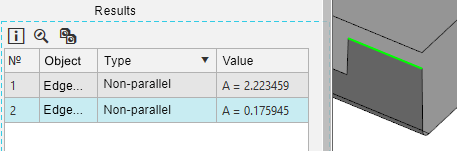
The results table displays the value of the found angle A. The corresponding segment is highlighted in the graphic area.
|
The check is performed among the selected objects of the model. The check allows you to find objects that go beyond the bounding box with the side length specified in the field Size. The center of the cube coincides with the origin of the absolute coordinate system, the cube faces are parallel to its planes.
An object or component that goes beyond the expected bounding box may be a result of a construction error or an incorrectly applied mating. If an object or component is located far from all other objects, it may not be visible in the graphic area, but at the same time create problems when working with the model. For example:
•unexpected behavior when rotating the model around the center of its bounding box,
•difficulties in creating associative views of the model in the drawing,
•defects in displaying the model: «transparency», visibility of edges through solids, «angularity» of objects, etc.
Check type |
Check result |
|
Size check |
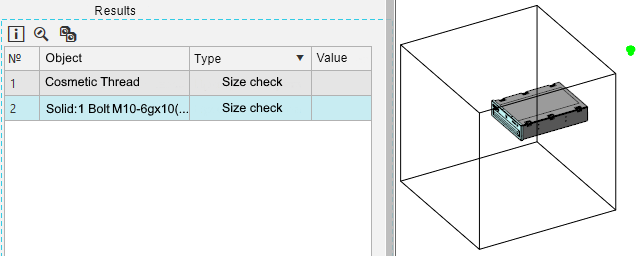
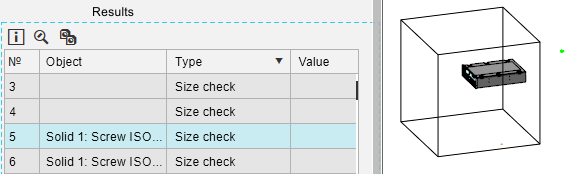
The following data is displayed in the graphic area: •boundary cube, •object extending beyond the bounding cube (highlighted).
|