|
Graphic documents V24 |
Scroll |
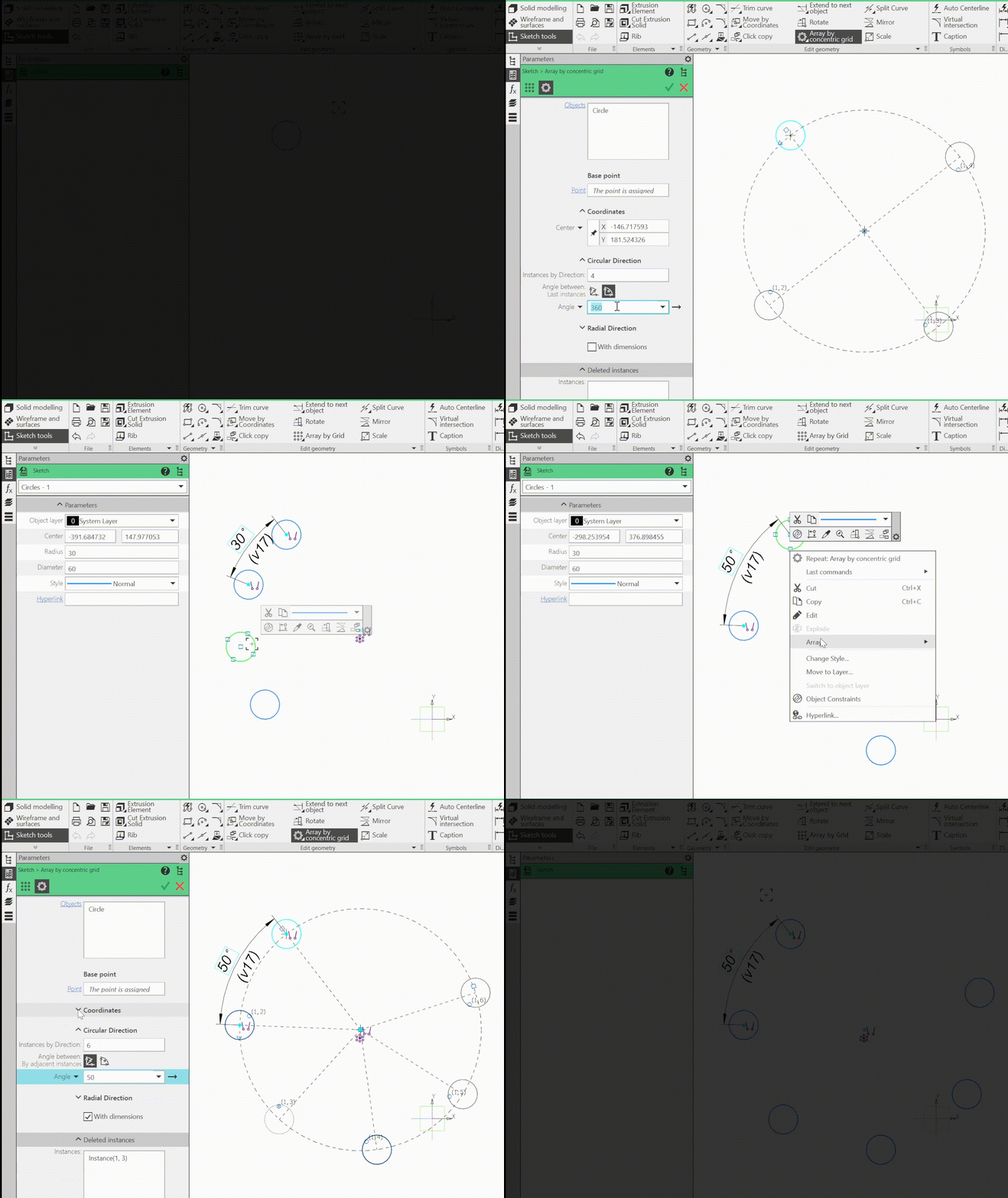
1.The ability to create arrays of graphic objects. An array is a group of ordered objects—array instances. When creating/editing an array, it is available to control the number and position of instances, as well as exclude specified instances from the array. In addition, it is available to enable the creation of control dimensions in the array - using them it is possible to modify an already created array. If necessary, the array can be exploded, i.e. the links of the instances to each other can be removed, turning them into independent objects.
Arrays of the following types are available:
•array by grid,
•array by concentric grid.
Arrays are displayed in the Tree of the graphic document, forming a separate group - Arrays.
Arrays of graphic objects can also be created in sketches of 3D models.
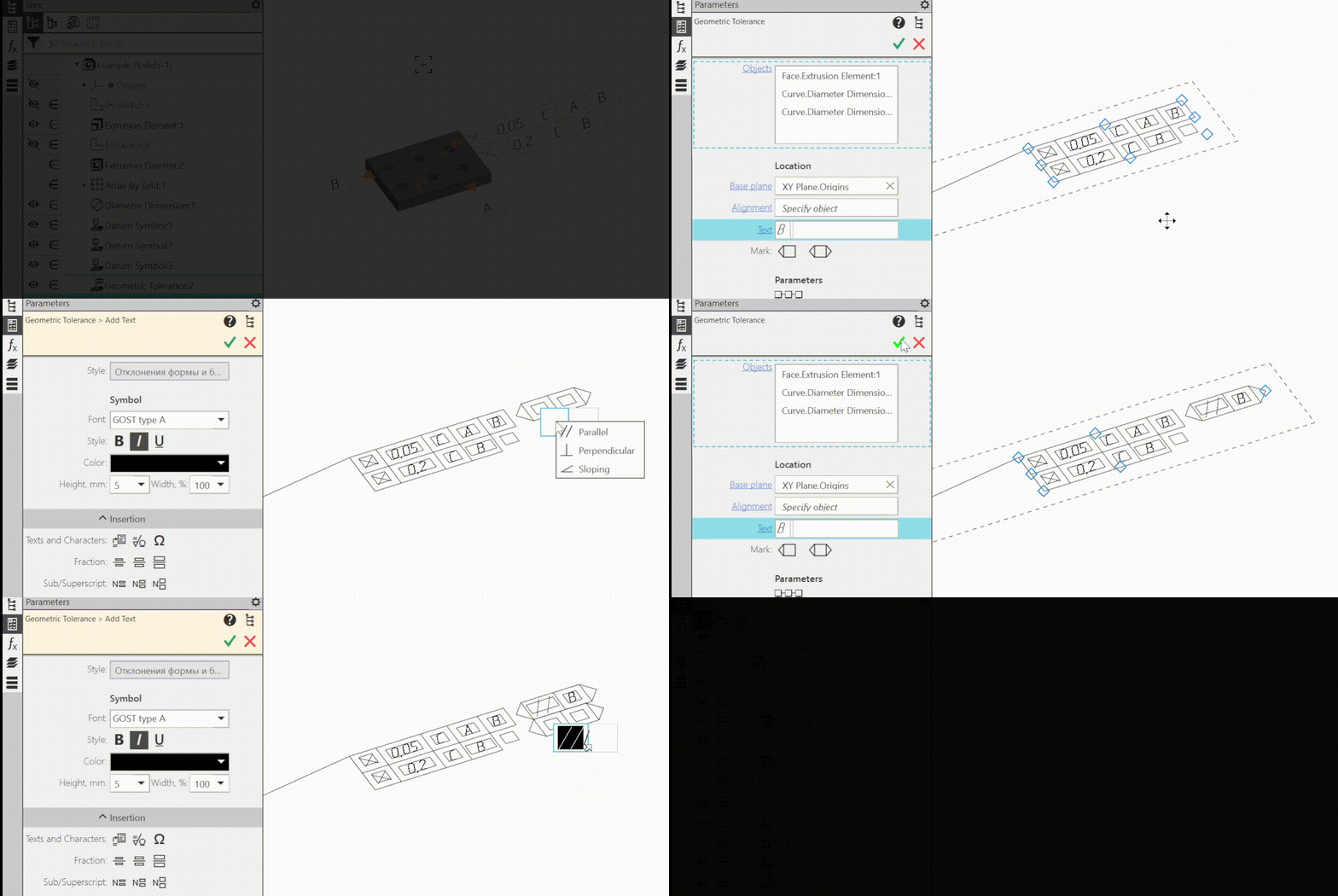
2.The designation of the form and shape tolerance can now include additional signs to indicate the intersecting and orienting planes in accordance with GOST R 2.308-2023.
The option is also available when you set the shape tolerance in the model.
3.Adding branches to designations that include a leader-line has been sped up: the process of adding a branch is started, as before, by clicking on the landing start point, but now it is looped, i.e., to create the next branch, it is not necessary to restart the process — it is enough to specify the point to which this branch points. To exit the process, press the key <Esc>.
4.The process of selecting curves for measurement using the command Curve length has been improved:
•added possibility to specify curves before invoking the command,
•after invoking the command, curves can be selected with an encompassing or section marquee by holding down <Ctrl> to invert the selection or <Shift> to add to the already specified ones; clicking on a free graphic area deselects all curves.
5.It is now possible to link cells of the drawing title block with the arbitrarily selectable properties from property libraries. This setting is made when editing the title block included in the drawing layout and makes it possible to display the values of custom properties in the drawing, including reflecting in the associative drawing the values of custom properties defined in the model that is projected into this drawing.
6.It is now possible to add a sheet of drawing based on a sample of an existing sheet. In this case, the new sheet is placed after the sample sheet and has the same format, layout, multiplicity and orientation.
