|
Grooves |
Scroll |
In KOMPAS-3D, you can build a groove — straight or curved.
|
|
a) |
b) |
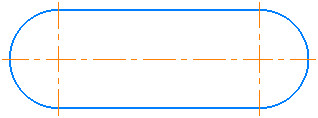
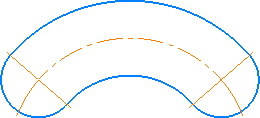
Grooves: a) straight, b) arc
The groove is a composite geometric object that is selected and edited as a whole.
To a constructed groove, you can apply various editing commands: Shift, Rotation, Scaling, Trimming, Transformation etc.
When editing a groove using deformation operations, consider the following. A groove, constructed as a single object, cannot be partially selected for deformation, unlike other composite objects (polygon, multiline, etc.). It can be highlighted only whole and, correspondingly, deformed whole. Thus, as a result of the deformation of the groove, depending on the selected operation, there will be a shift, rotation or scaling of the entire groove.
