|
Types of extension of a curve |
Scroll |
You can extend the curve in several ways. The method of extension is selected using the Extension Type button group on the Parameter Panel. Description of the types of extensions with examples can be found in the table. On the figures, the initial curve is displayed in blue, while the extending section is shown in red.
Types of extension of a curve
|
Extension type |
Example of extending a curve |
|
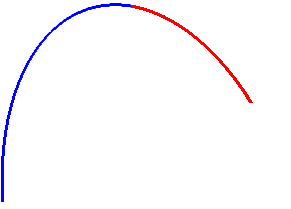
Same curve/Spline Depending on the type of the source curve, the extension segment can either be a continuation of the curve itself or a NURBS spline smoothly connected to the source curve at the point from which the extension begins. Using the NURBS spline, the following curves are extended: •outline, •conical curve from with coefficient kIn the range 0.5 ≤ k < 1, •edge of a solid or surface, •equidistant to curve, constructed by the Along Surface method, •equidistant in a sketch. |
|
|
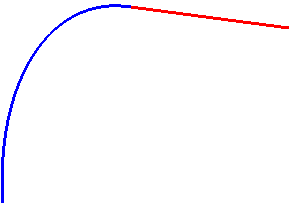
By tangent The extending section of the curve represents a segment directed along the tangent to the curve at the point from which the extension starts. |
|
|
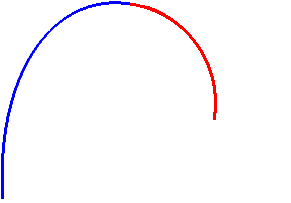
Along an arc of a circle The extending section of the curve represents a circle arc of a given length and radius, equal to the radius of curvature of the curve at the point from which the extension begins. |
|